The whole trip
in your pocket
Serbia – Austria tickets in minutes, a QR code to board the bus, the bus live on the map and a guide to places along the way.
Installing takes a minute. See the guide with pictures. ↓
Inside the app
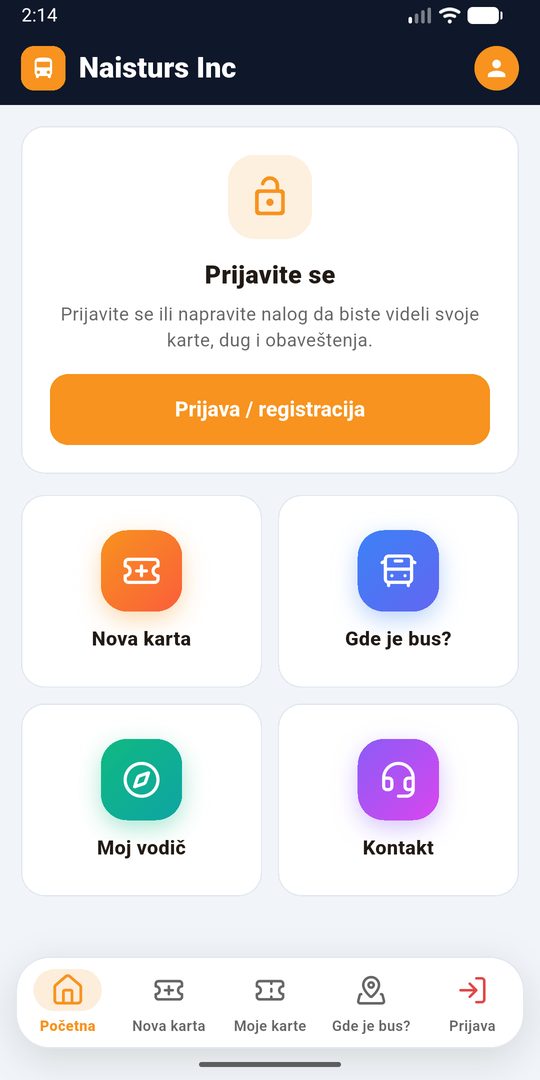
Everything for your trip in one place.
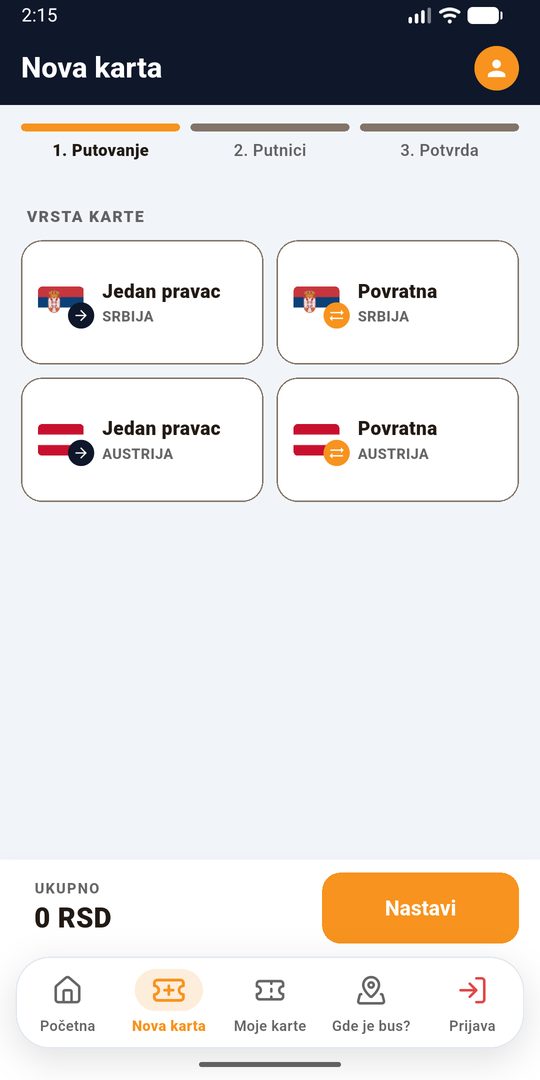
A new ticket in a minute
Choose where you leave from and go to, the date and the number of passengers. You see the price right away; the ticket arrives in the app and by e-mail.
My tickets and QR code
All tickets in one place, including those bought from the cashier. Show the QR code when boarding.
Where is the bus?
The bus live on the map. Once the cashier scans your ticket, the app recognises your bus.
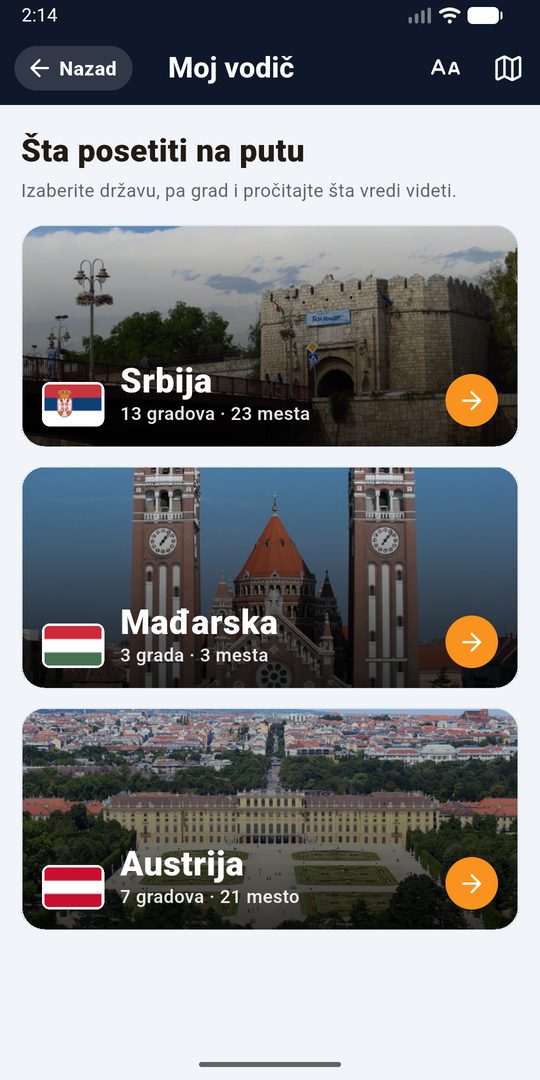
My guide
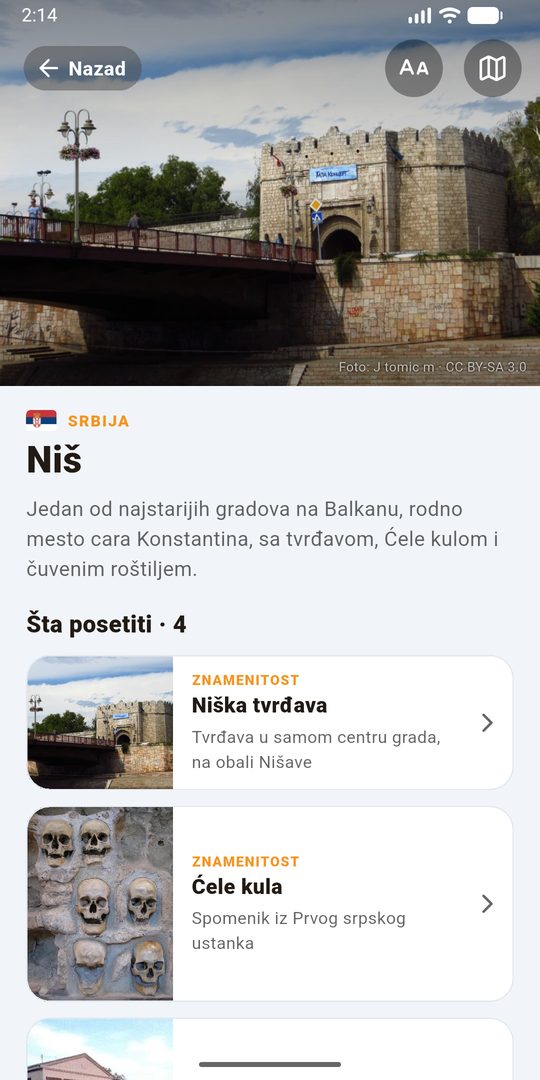
Serbia, Hungary and Austria: what to see in every city on the route, with photos and a map.
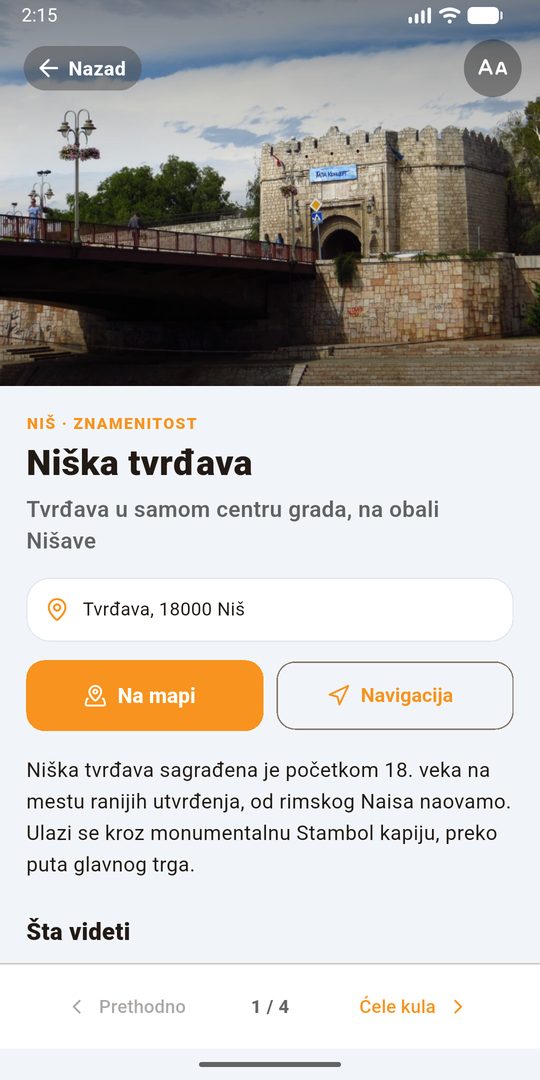
Places to visit
Swipe left and right through places and start navigation with one tap.
Return and changes
Book your return, change the date or cancel – all in the app.
Made for every passenger
Big text
One tap makes all text bigger. Easy to read, even without glasses.
Big “Back” button
You always know where you are and how to go back.
Three languages
Serbian, German and English – pick a flag.
No account needed
Ticket, map and guide also work as a guest.
Ratings
Tell us how your trip was.
Updates itself
New versions arrive inside the app.
How to install
Real screenshots from a phone. The green dot shows where to tap. Takes about a minute.
Download the app
Open this page on your phone and tap “Download for Android”. “Downloading file…” appears at the top. Wait a few seconds.
If the browser asks “Download file?”, choose “Download” (or “Download anyway”).
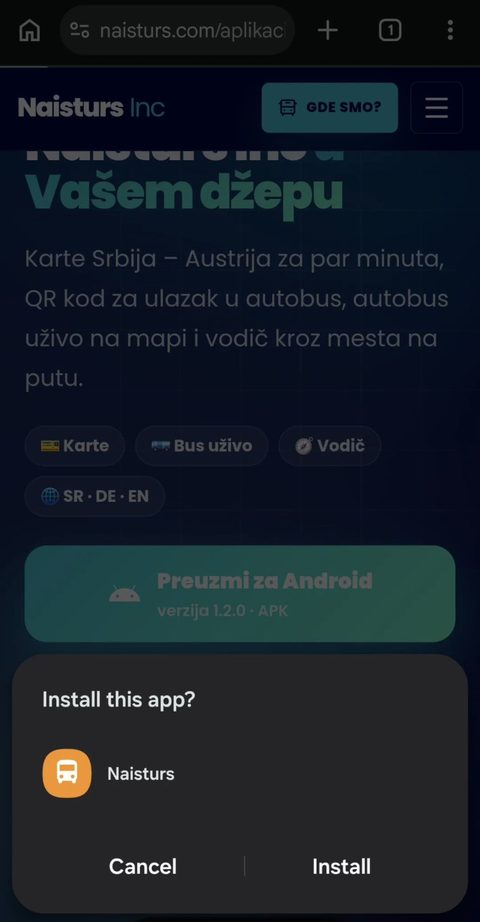
Tap “Install”
When the download finishes, the phone asks “Install this app?”. Tap “Install”.
If nothing appears: pull down the notification bar and tap “naisturs-putnik.apk”.
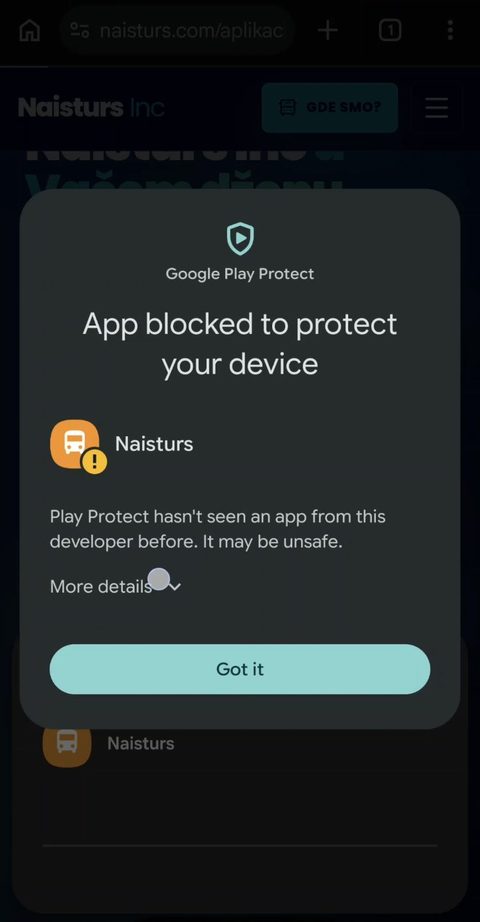
Google Play Protect: “More details”
A message says the app was blocked. Don’t worry: it says this for every app that is not from Google Play. Do NOT tap the big button. Tap the small “More details” below the text.
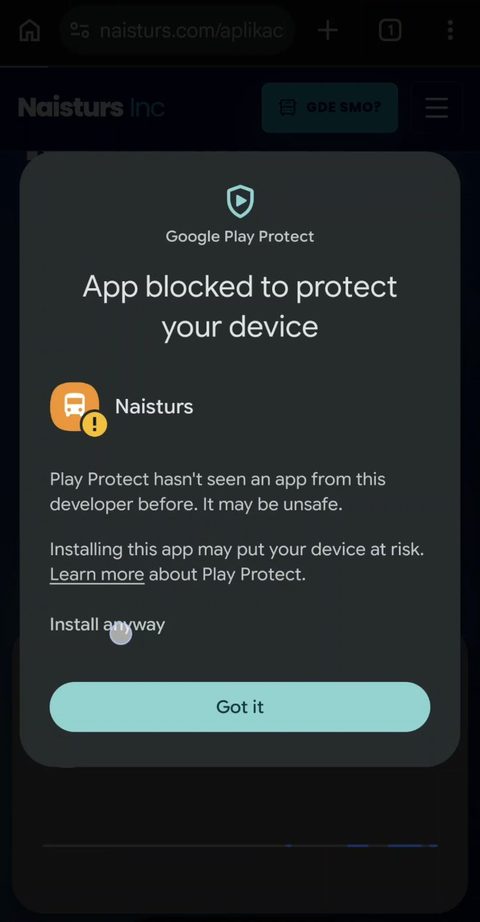
Tap “Install anyway”
One more line opens. Tap “Install anyway”.
The app is made by Naisturs Inc and signed with our key. It does not ask for your contacts, messages or photos.
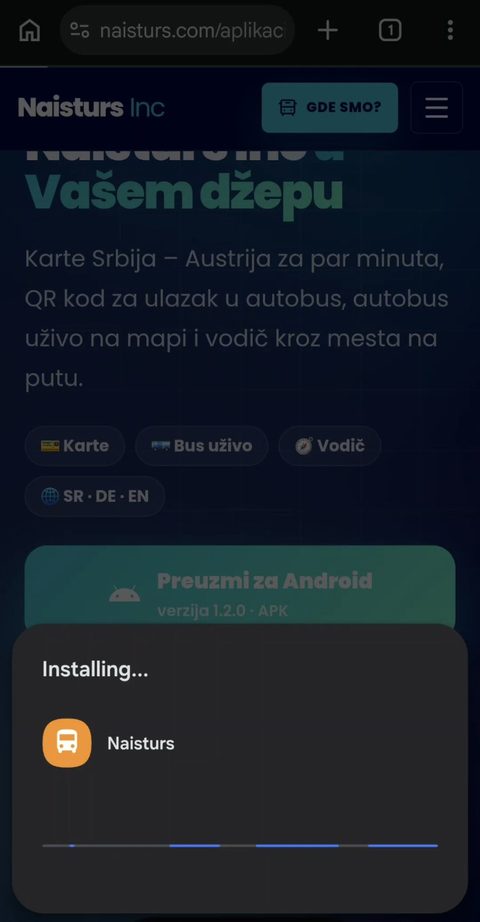
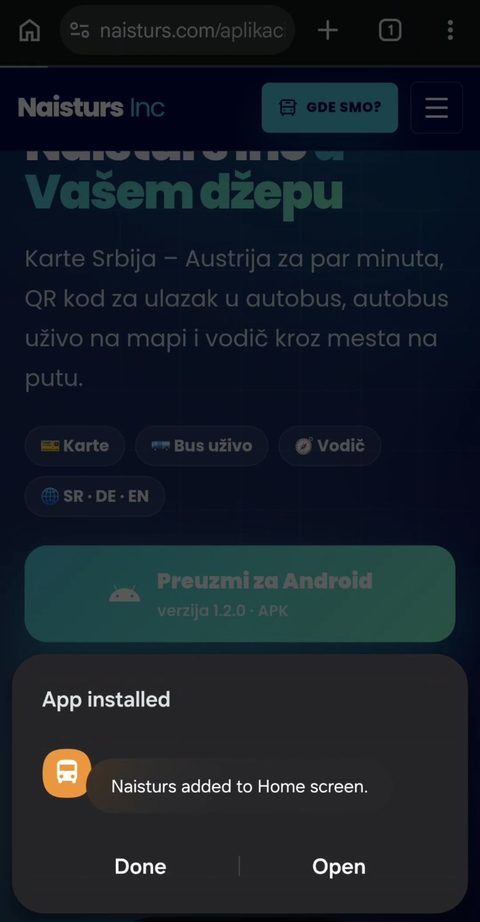
Wait, then “Open”
A blue bar shows the installation. When it says “App installed”, tap “Open”. The “Naisturs” icon is now on your home screen.
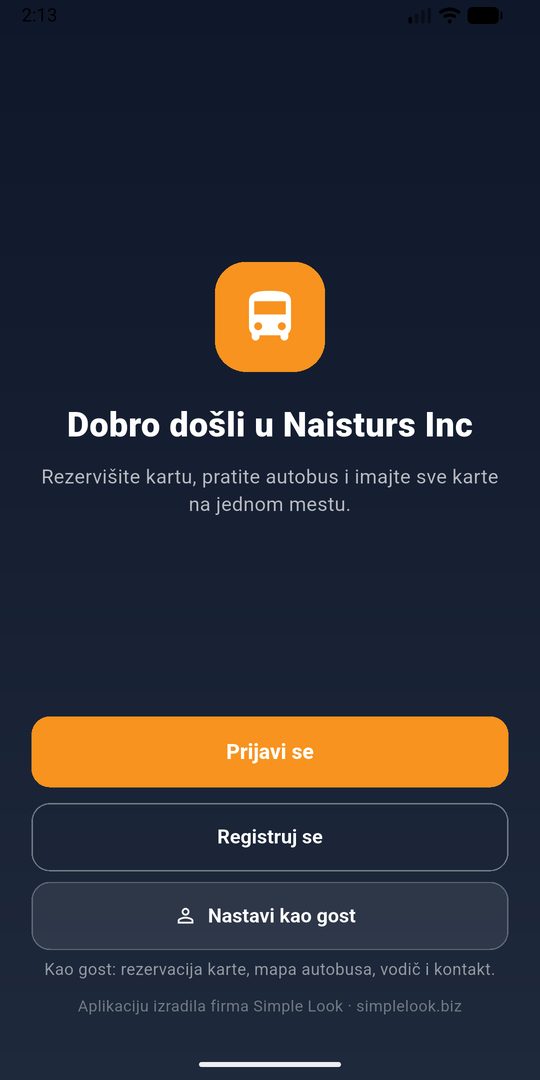
Welcome!
Pick a language with the flag, then “Sign up” (with the same name, date of birth and e-mail as on your ticket – you will see earlier tickets too) or “Continue as guest”.
Next versions, no hassle
When a new version is out, the app downloads it itself (0–100% bar) and offers “Install”. Your account and tickets stay.
coming soon to the App Store
The iPhone version is coming soon
We are preparing the app for the App Store. Until then, book on the website and your ticket arrives by e-mail.
Book on the website →Frequently asked questions
Is it safe?
Yes. The app is made by Naisturs Inc (development: Simple Look), downloaded only from our website, signed with our key, and does not ask for your contacts, messages or photos.
Why does the phone say “blocked”?
Google shows this for every app that is not downloaded from Google Play. Tap “More details”, then “Install anyway”.
I don’t see my tickets
Check in Profile that your name, date of birth and e-mail match the ticket. If you still see nothing, give us a call.
How do I change the language?
With the flag on the start screen or in Profile: Serbian, German or English.